Connect AI to Erdloom
Claude, ChatGPT, Cursor or VS Code can read your diagrams, answer questions about your schema, and change a diagram after you say yes to its preview. Only in the workspaces you choose, and only as far as you allow.
https://erdloom.webmobtech.biz/api/mcp- Copy the addressThe only thing any app needs.
- Add it to your appThe steps for each app are just below.
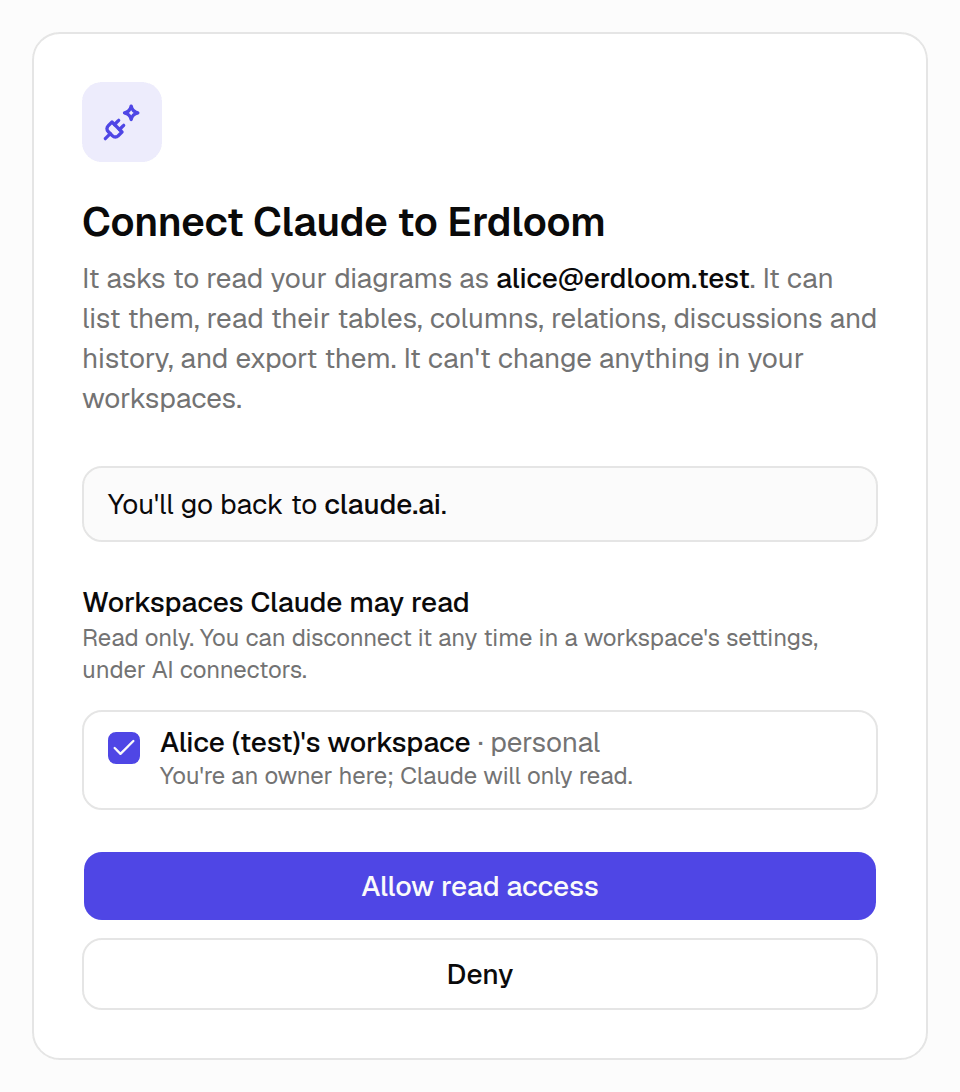
- Sign in and allowErdloom opens: tick the workspaces it may use, pick what it may do in each, then choose Allow.
Add it to your app
claude.ai and the Claude desktop app. The Free plan allows one custom connector.
- In Claude, open Customize → Connectors and choose Add custom connector.
- Name it Erdloom and paste the address as the MCP server URL:
https://erdloom.webmobtech.biz/api/mcp
- Claude checks the address, then asks how people sign in: keep Sign in now and, for OAuth client, Register automatically (both are chosen already). Leave the client ID and secret empty.
- Choose Add, then Connect. Erdloom opens: sign in, tick the workspaces, pick what it may do in each, and choose Allow.
- In a chat, choose + → Connectors and turn Erdloom on. Then ask about your schema. Claude may ask before each tool at first; its connector settings let you change that per tool.
On Claude Team or Enterprise?
An owner adds Erdloom once in Organization settings → Connectors (Add → Custom → Web), with Register automatically. Everyone then opens Customize → Connectors, finds Erdloom and chooses Connect.
Open organization connectorsWhat it can do
- Find your diagrams
- Your workspaces, what the app may do in each, and their diagrams, newest first.
list_workspaces · list_diagrams - Read a schema
- An outline with the diagram's notes, then full detail of any tables: columns, types, keys, defaults, identity, indexes, checks, enums.
get_diagram · get_tables - Search and filter
- Everything that contains a word, and columns by type, NULL, key or a missing index, across the whole diagram.
search_schema · find_columns - Review a schema
- Missing primary keys, foreign keys with no index or a mismatched type, redundant indexes, names off the diagram's style. One diagram or one group.
review_diagram - Export
- The whole diagram as SQL for any of five databases, DBML, JSON, Markdown, or Laravel and AdonisJS migrations.
export_diagram - Your notifications
- Mentions and replies from the workspaces you chose. Reading them here marks nothing read.
list_notifications - Who changed what
- Each change, by whom and how; one an app made reads “Karan Chavda via Claude”, with the reason it gave.
list_changes - Versions
- The saved versions, those kept before an AI change included; any of them read as it was, and what changed since one.
list_versions · compare_versions - Change your diagrams
- Tables, columns, keys, indexes, relations, enum types, checks, groups and notes, previewed first with a link to see it in Erdloom. Each change is applied after you say yes, named after you and the app, and saved as a version first.
preview_changes · apply_changes - Start a diagram
- A new diagram in a workspace where the app may change, from SQL, DBML or a list of tables.
create_diagram - Read discussions
- Threads in one diagram or across all of them: where each is pinned, the replies, who was mentioned, who resolved it.
list_comments - Comment
- A comment on the canvas, a table or a column, or a reply, under your name and the app's. It mentions nobody.
add_comment
Try asking
- “List my Erdloom workspaces and the diagrams in each.”
- “In the central schema, which tables reference tenants? Show their foreign keys and whether each has an index.”
- “Review the billing tables: missing indexes, nullable foreign keys, naming that doesn't match the rest.”
- “Add archived_at to every tenant-owned table. Show me the preview first; once I say yes, apply it and write the Laravel migration.”
- “What changed since the last named version? Then summarise the open discussions across my diagrams.”
- “Is anything in Erdloom waiting for my reply?”
What you'll see in Erdloom
How your data is protected
- A change is previewed first. An app can apply only a preview it made, with a link that shows it in Erdloom, and Erdloom tells it to apply one only after you say yes; anything it removes must be named back first.
- Each change is named after you and the app (“Karan Chavda via Claude”) and saved as a version first; Version history → Changes → Undo this change takes it back in one step.
- Only the workspaces you ticked, as far as each one's limit, your choice and your role allow, and only while their owners keep AI connectors on. Share links never reach an AI app.
- The app gets a sign-in token for you. Erdloom's database and live updates answer it only through this connector, and accept a change only when Erdloom's own server signed it, so the token alone can't change anything. Supabase, which runs Erdloom's sign-in, also accepts it for your account settings until you disconnect.
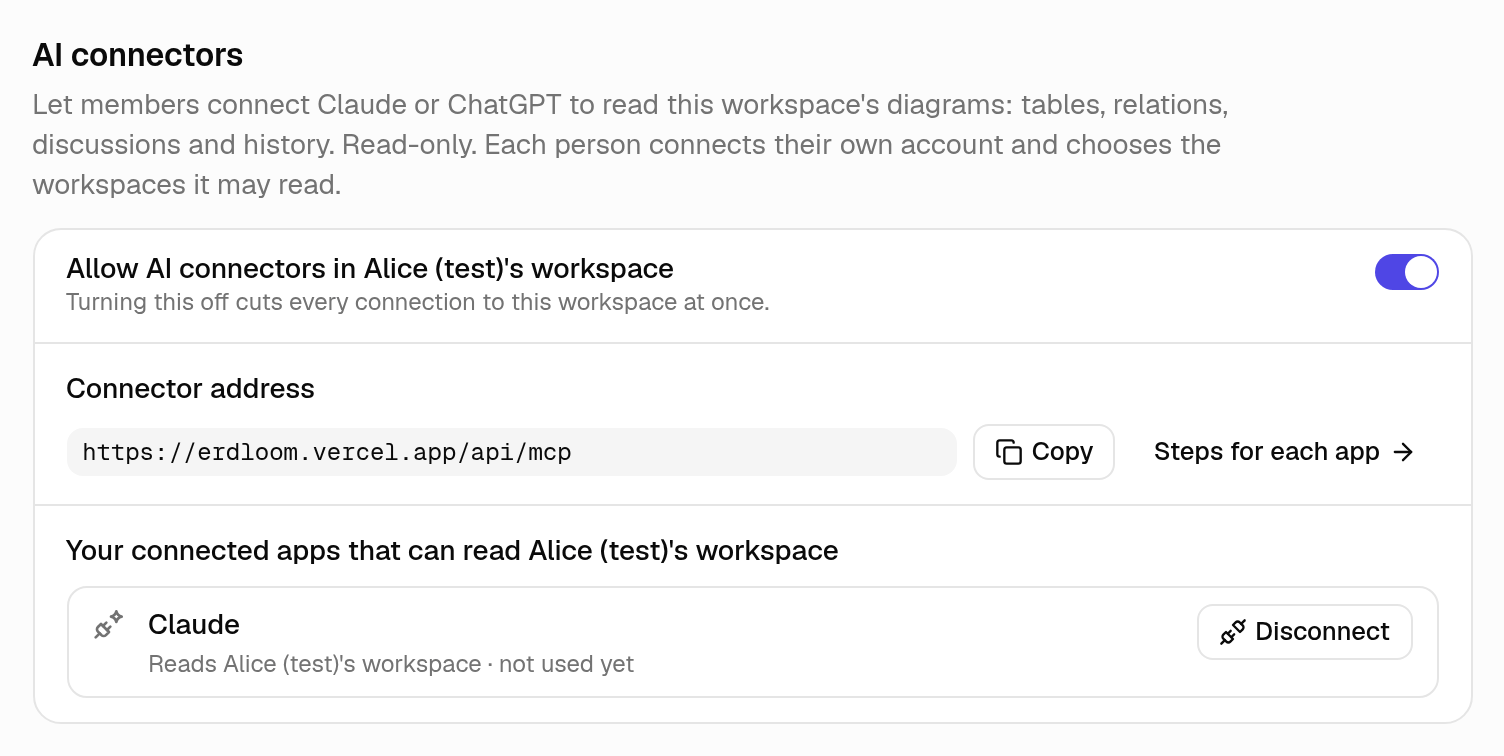
- Disconnect in any workspace's settings, under AI connectors: access stops at once, even for a token that hasn't expired.
- Each call is recorded for 30 days. An app may make 60 calls a minute and 600 an hour; of those, 10 changes a minute and 200 an hour (changes, new diagrams and comments together) and 30 previews a minute.
- Names, comments and discussions are written by people. Erdloom tells the app to treat them as data, never as instructions. An app's comment says which app wrote it, and mentions nobody.
If something goes wrong
Claude says it couldn't connect
“This connection can read no workspace now”
It says it can only read
Three things decide what an app may do in each workspace, and the lowest one wins.
- The workspace's limit, set by owners and admins in its settings, under AI connectors.
- Your choice for the app (Read only, Propose or Change directly), which you change on this page once you sign in, or in the same settings, without reconnecting.
- Your role: a viewer's app can propose at most, and only editors and above can let theirs change directly.
For now an app set to Propose can preview changes and comment, but not yet send a change for an editor to accept: Erdloom hasn't added the tools that propose yet.
An app with no tool to change anything still has the list of tools it saw when you connected: refresh it, as “It doesn't use something listed here” says.